KudioStudio
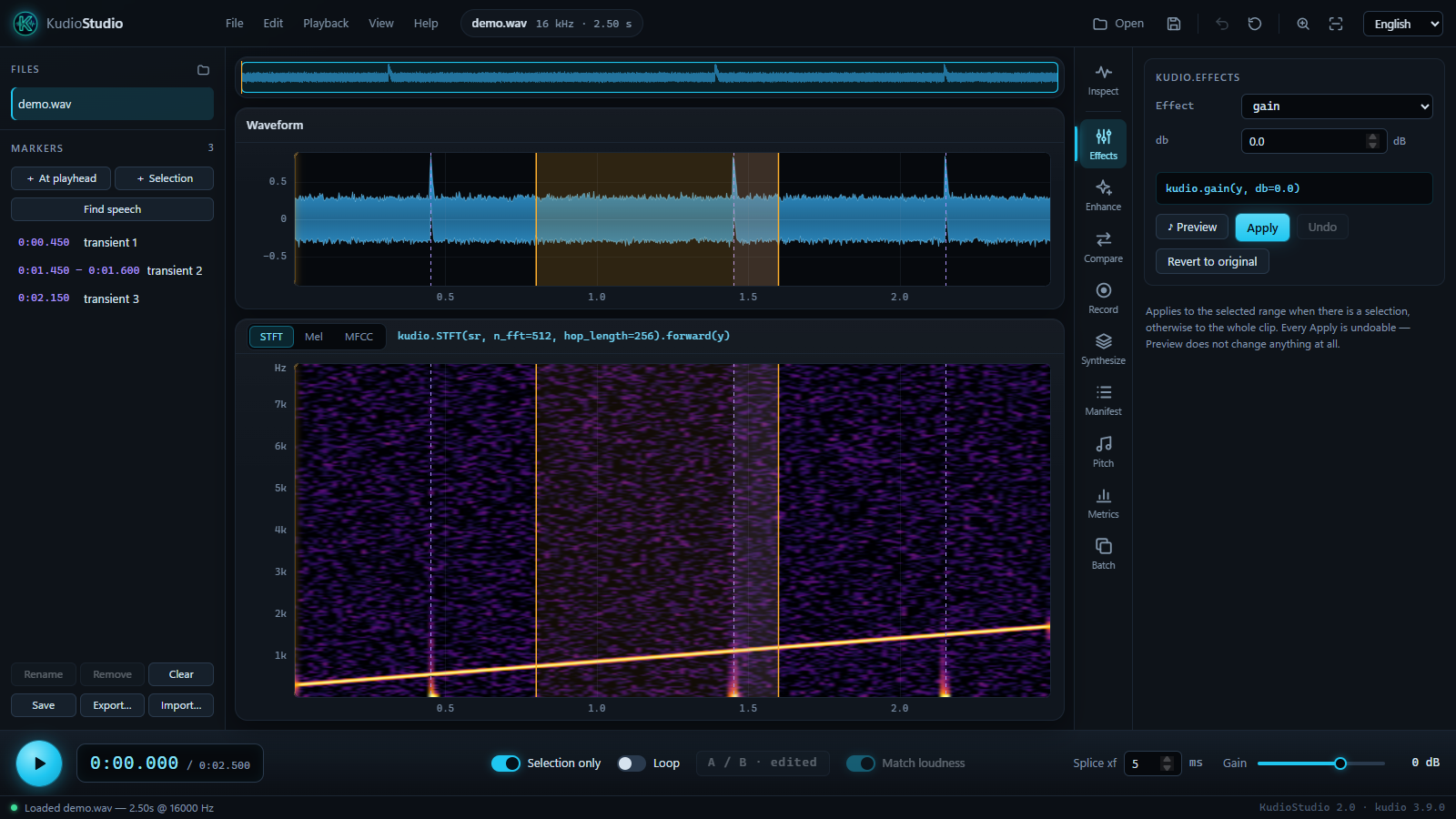
KudioStudio is a desktop workbench for kudio, my Python toolkit for speech audio. Open a clip, look at it, change it, measure it and build a dataset from it, without writing a script first. The panels run documented kudio functions, and each one shows the call its controls make. That line is written to be read; what an edit records is the exact call, with the seed a random effect actually drew and the full path of any file it reads, so whatever you settle on here carries straight over to code.
Install
It needs Python 3.9 or newer. Getting started lists the extras and what Linux needs, and walks through a first session from opening a file to saving it.
The panels
The rail on the right of the window holds one tool per panel:
| Panel | What it is for | kudio behind it |
|---|---|---|
| Inspect | the analysis view's settings, the selection, and the Levels readout | STFT, melspectrogram, mfcc, audio_report, loudness_over_time, true_peak |
| Effects | one effect at a time on the selection or the whole clip, heard before it is applied | kudio.effects, rir, apply_rir, rt60 |
| Enhance | seven statistical denoisers over four noise estimators, trad_enhance, a wavelet filter, and learned models |
spectral_enhance, trad_enhance, wavelet_low_pass_filter, kudioenhance |
| Compare | the seven statistical denoisers, the four noise estimators or the whole grid on the same clip, ranked, with a learned model as one more row if you give it one; each row is a click from your ears | compare_enhancers |
| Record | a fixed-length take, or one that runs until you stop it, drawn as it arrives | record, StreamRecorder, SpectrogramStream, StreamEnhancer |
| Synthesize | a noisy dataset from a clean folder and a noise folder, rooms and phone lines included | Synthesizer |
| Manifest | that dataset read back: missing files, and the noise × SNR coverage | load_manifest |
| Pitch | the f0 contour over the spectrogram, and the voiced spans as markers | f0 |
| Metrics | what is wrong with a recording when there is no reference, and scores when there is | audio_report, dnsmos, find_delay, eval_metrics, snr, si_sdr, segmental_snr |
| Batch | a whole folder converted, normalised, denoised or given a reverberant copy, with a report of the files that missed | convert_folder, enhance_folder, rir, apply_rir |
Where to go next
-
Installing, the extras, the command line, and a first session from opening a file to saving it.
-
What each part of the window is, how to select, zoom and play, and every shortcut.
-
Cut and paste with a crossfade at every join, A/B against the original, markers that outlive the session, and your edits written out as a script.
-
One page per tool on the rail, with every control and what it calls.
-
A tool of your own on the rail, from a package of its own.
-
What it means when the window, the sound or a panel does not do what you expected, and what to do about it.
Related projects
- kudio
- The toolkit underneath: files, features, effects, rooms and channels, dataset synthesis, denoising, metrics and recording. Its own guide is at recklight.github.io/Kudio.
- kudioenhance
- Trains the learned denoisers that the Enhance and Compare panels load.